New NAS Build
I built a new NAS.

This probably wasn't one of my brightest ideas given the insane prices of RAM and storage disks right now, but I built a new NAS system.
It’s crazy how it will literally be impossible to build a PC in about 12-18 months, and might never be possible again.
— Cassie Pritchard (@hecubian_devil) January 15, 2026
Sign of the times: personal computing may never be possible again.
I already have an existing TrueNAS build that I wanted to upgrade. It was my old desktop computer repurposed as a NAS.
Here's where I wanted from the new build:
- Larger, long term, reliable storage
- ECC RAM for data integrity
- Move from TrueNAS Core to TrueNAS Scale
- Reduce power consumption
- Smaller form factor
This is the video that I used as inspiration for my NAS build.
I don't really want to do any gaming or transcoding on this machine. I want to install TrueNAS Scale and run a few storage pools and shares. All my services remain hosted on my Proxmox machine.
Here are the parts I used and the cost breakdown (inclusive of delivery).
| Item | Description | Cost (AUD) |
|---|---|---|
| CPU | AMD Ryzen 5 PRO 4650G | $176.57 |
| Motherboard | GIGABYTE B550M DS3H AC R2 AMD AM4 Motherboard | $139.00 |
| RAM | Timetec Hynix Original 4 x 8GB DDR4 3200MHz Unbuffered ECC | $344.43 |
| PSU | Cooler Master MWE Gold 750W V3 ATX 3.0 Full Modular | $221.46 |
| CPU Cooler | Thermalright AXP90-X47 | $51.69 |
| Fans | 2 x Noctua 120mm | Existing |
| Case | Sagittarius 8 bay | $263.64 |
| HBA | 9211-8i 6Gbps HBA LSI FW:P20 IT Mode Host Bus Adapter | $69.88 |
| Disks | 2 x 12TB WD RED NAS | $738.58 |
| Other | SATA Male to 4 Pin Molex 2 Female Cable | $7.00 |
Total build cost without storage disks comes to $1,273.67 AUD. The case and the RAM were the big ticket items here. Having the case shipped in from China, and the heavily marked up price of RAM took me over the $1,000 mark. I could have opted for just 16GB RAM but went with 32GB.
I went with this combination of CPU and Motherboard because it supported ECC RAM, which is important to me given this build will be primarily for data storage.
Storage
I used all of the existing drives in my old build and added 2 x 12TB hard drives (new), and 4 x 1TB SSDs that I had lying around.
The motherboard has only 4 SATA ports. I purchased a low power consumption Host Bus Adapter (HBA) flashed in IT mode off eBay, adding a further 8 SATA ports. Here is the full disk layout.
| Drive | Description | Size | Pool |
|---|---|---|---|
| 0 | NVMe Samsung EVO 860 SSD | 250GB | bootdisk |
| 1 | 2.5" Samsung EVO 870 SSD | 2TB | ssdstorage (mirror VDEV1) |
| 2 | 2.5" Samsung EVO 870 SSD | 2TB | ssdstorage (mirror VDEV1) |
| 3 | 2.5" Samsung EVO 870 SSD | 2TB | ssdstorage (mirror VDEV2) |
| 4 | 2.5" Samsung EVO 870 SSD | 2TB | ssdstorage (mirror VDEV2) |
| 5 | 3.5" Western Digital | 4TB | hddstorage (mirror VDEV) |
| 6 | 3.5" Seagate | 4TB | hddstorage (mirror VDEV) |
| 7 | 3.5" WD RED NAS (new) | 12TB | hddtank (mirror VDEV) |
| 8 | 3.5" WD RED NAS (new) | 12TB | hddtank (mirror VDEV) |
| 9 | 2.5" Samsung EVO 870 SSD | 1TB | scrubpool (RAIDZ1) |
| 10 | 2.5" Samsung EVO 870 SSD | 1TB | scrubpool (RAIDZ1) |
| 11 | 2.5" Samsung EVO 860 SSD | 1TB | scrubpool (RAIDZ1) |
| 12 | 2.5" TEAM Group GX2 SSD | 1TB | scrubpool (RAIDZ1) |
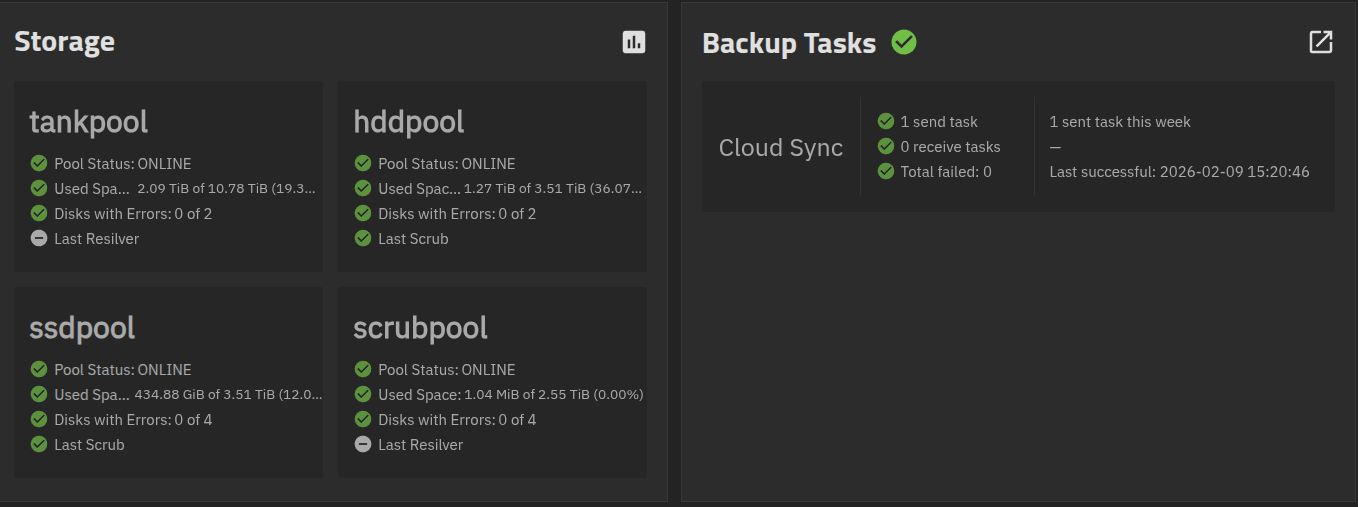
The total usable storage for this configuration is 23TB. I've optimised my layout for safety rather than storage space. I have used mirrors in the event of a disk failure. This also makes expansion less costly if necessary, but this should last me a good while.
Storage Pricing
I'm so very glad I purchased these SSDs well before the insane prices.
As of February 2026, the 2TB Samsung EVO 870 go for $400+ each now, and is limited to 2 per customer. The 1TB Samsung EVO 870 go for $260 each.
The 9 SSDs in this build would currently retail for $2,700. Absolutely insane.
Call me crazy, but instead of outright banning ownership of valuable things, there appears to be an effort to price people out of it. Think houses, motor vehicles, having children, computer hardware - the cost of ownership is rising. Ok, I'll take my tin foil hat off now. Back to the topic at hand.
Building the NAS
I ordered the parts from various retailers. I put together the PC and it started up without any glitches. I went into the BIOS and made some configuration changes - select the boot drive, boot on power, enable virtualization, etc.
Working with this case was a bit challenging given the limited space. I could probably do a better job with cable management, but all the parts and cables fit in. Overall, I'm a fan of the case - it's a little flimsy, but the form factor is excellent. It is split into two areas - motherboard area and drive bay area. It has good ventilation, comes with 8 drive bays, easy enough to work with if you plan ahead and is a pleasing form factor. The case has room for 2 x 2.5" drives within the motherboard area. I managed to fit an extra 2 on top of that (4 x 2.5" SSD's total). These 4 SSD's are directly connected to the motherboard, not the HBA adapter.
I used the two Noctua 120mm fans I had on my existing TrueNAS build. I initially put both of them behind the drive bays, but I changed that to leave one fan for the hard drives (bottom drives), and another in the motherboard area to cool down the HBA (as these are notorious for running very hot).
TrueNAS Scale
The installation went smoothly. Configuration took a bit of troubleshooting (especially with the smb/nfs share permissions).
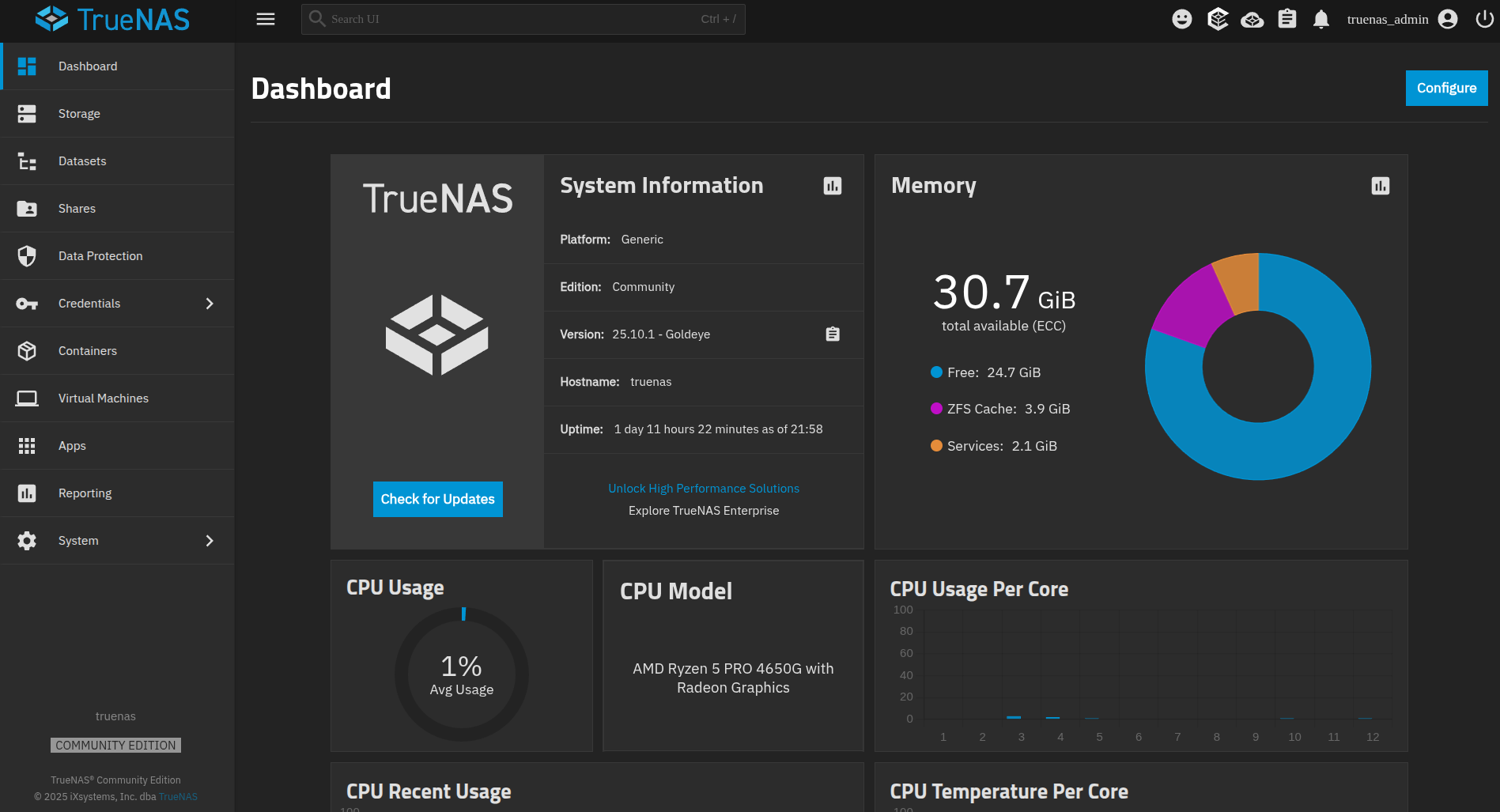
- The dashboard shows ECC RAM loaded.
- Virtualisation supported but not yet used.
- Network Static IP set.
- HDDs put into standby mode (spin-down) after 30 minutes.
- Automated off-site backup to parents place scheduled monthly.
- Samba and NFS shares with permissions all set.
Power consumption
This is an area where I didn't achieve much. Power consumption is roughly 55W for this build. My previous TrueNAS server idled at 60W but I didn't have as many disks connected to it. It's a win, but marginal at best.
At 55W running 24/7, we're looking at 480kWh for the year. At current prices, I'm looking at about $175 a year in electricity to keep this machine running. Call it $15 a month.
Final thoughts
Overall, the NAS turned out great. No major hiccups. The compact form factor is neat and tidy, it has ECC RAM, it runs TrueNAS Scale and all the capabilities that come with it. It's fairly silent given the Noctua fans, but it does get the odd HDD scratch every now and then. No vibration noise. It sits nicely tucked away in the closet and doesn't bother the family. Here are some photos!
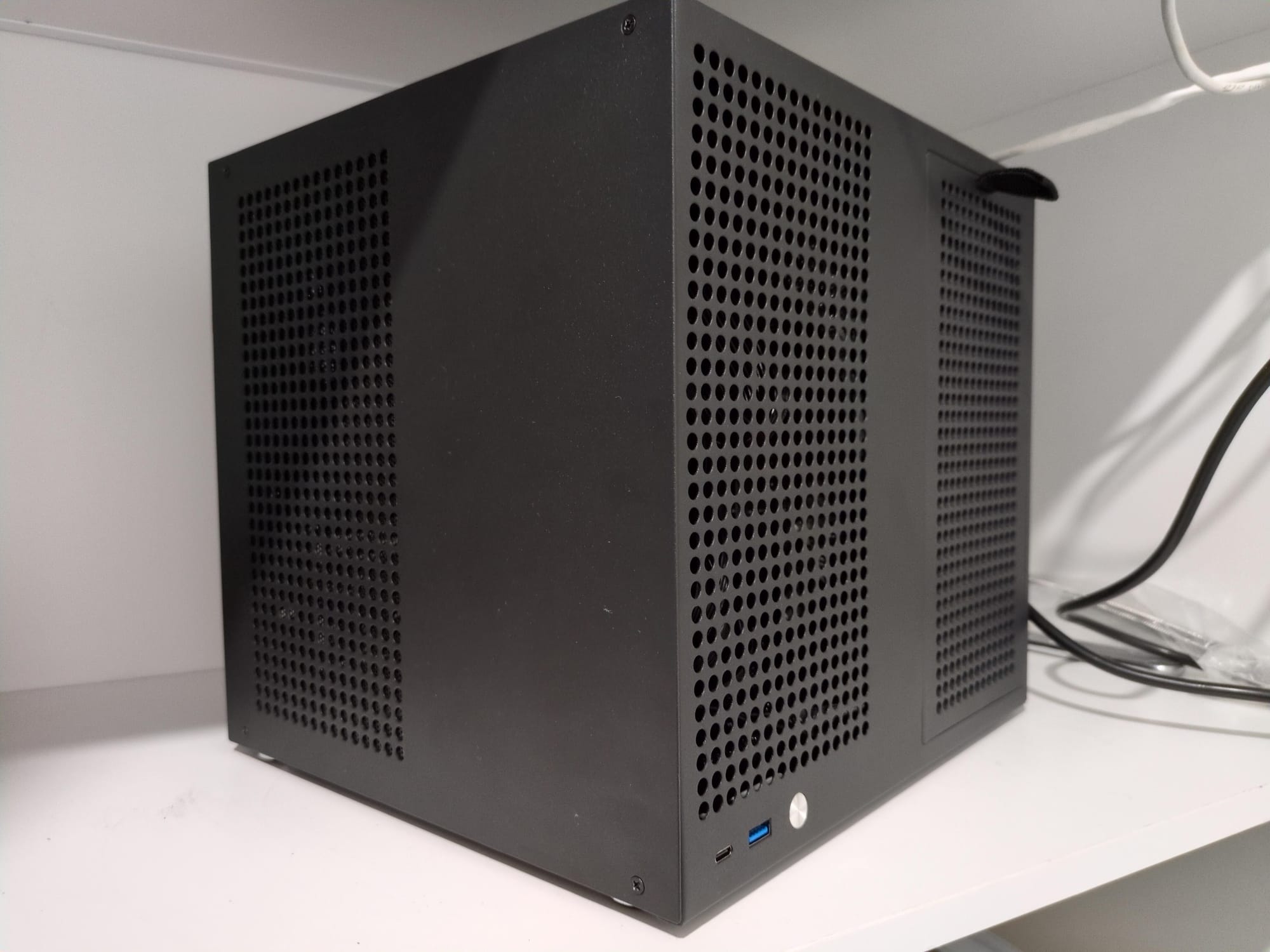
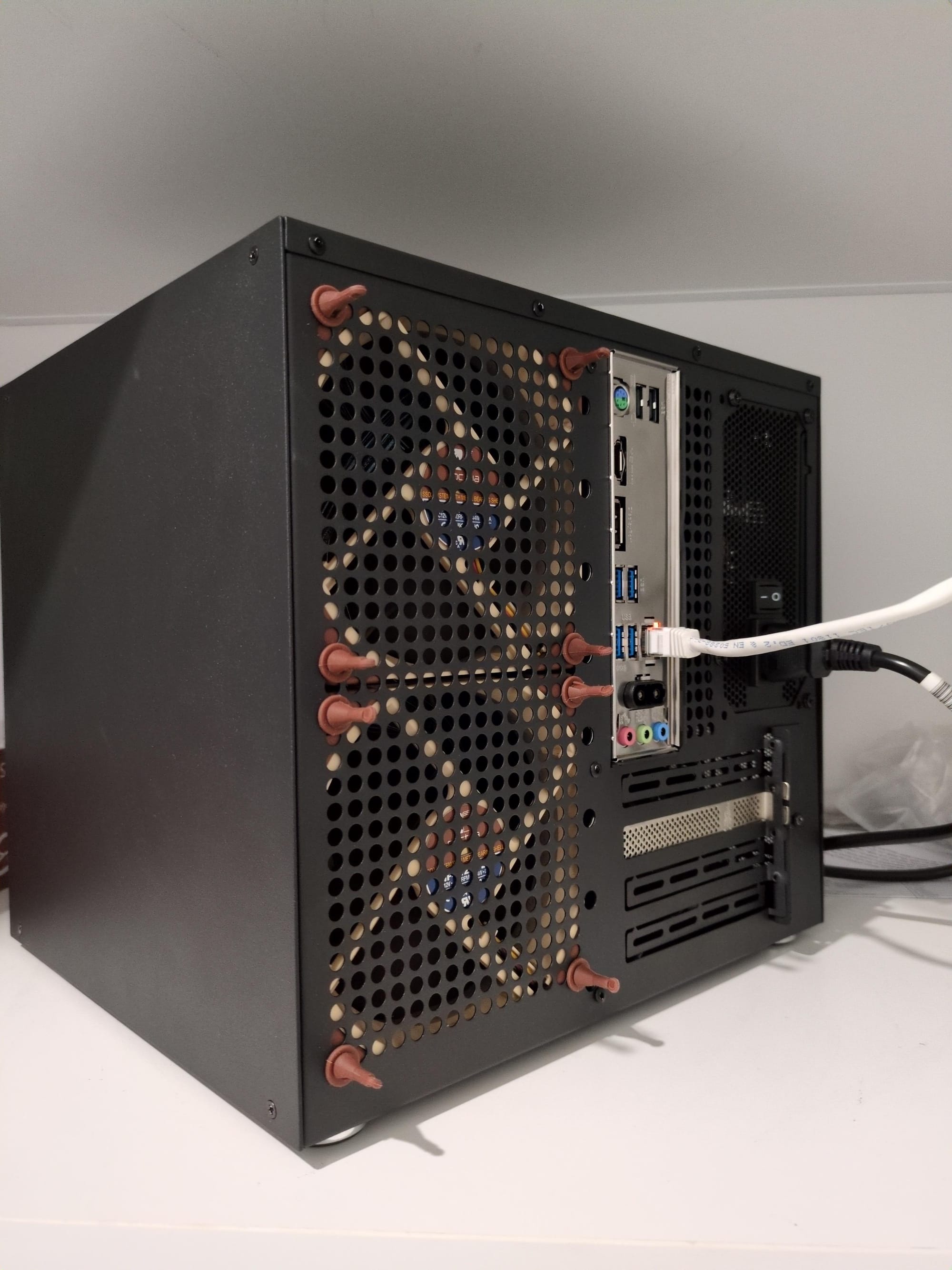
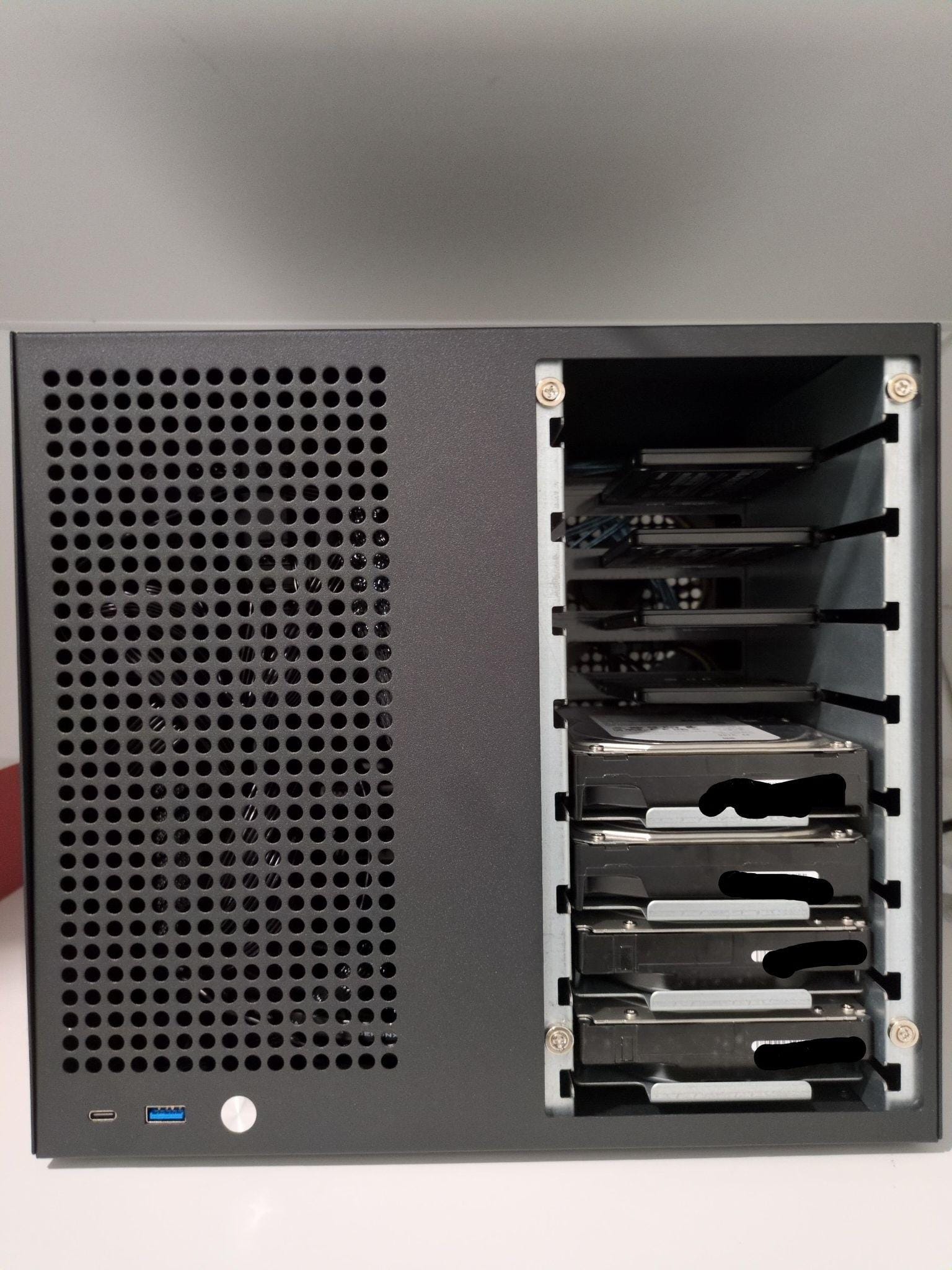
Final build. The top fan has moved into the motherboard area to cool down the HBA. You can see 4 HDDs at the bottom and 4 SSDs above. These 8 disks are connected to the HBA.