OpenWrt
A free and open source router firmware!

I've been wanting to upgrade my wireless access point for quite some time. I've been using the dated Netgear R7000 for a number of years now. It has been flashed with FreshTomato, an alternative open source firmware. I've got all my settings perfected - LAN and GUEST networks, VLAN tagging, wireless 2.4Ghz and 5Ghz networks, all cooperating nicely with my pfSense network. It's been a solid, reliable setup.
I had been dragging my feet switching over to better hardware using OpenWrt, dreading the thought of converting the configuration from FreshTomato over to OpenWrt.
The main reason for the change was wireless coverage. The R7000 just wasn't cutting it anymore. I could have used wireless repeaters, but I wanted a clean, no clutter solution.
Hardware
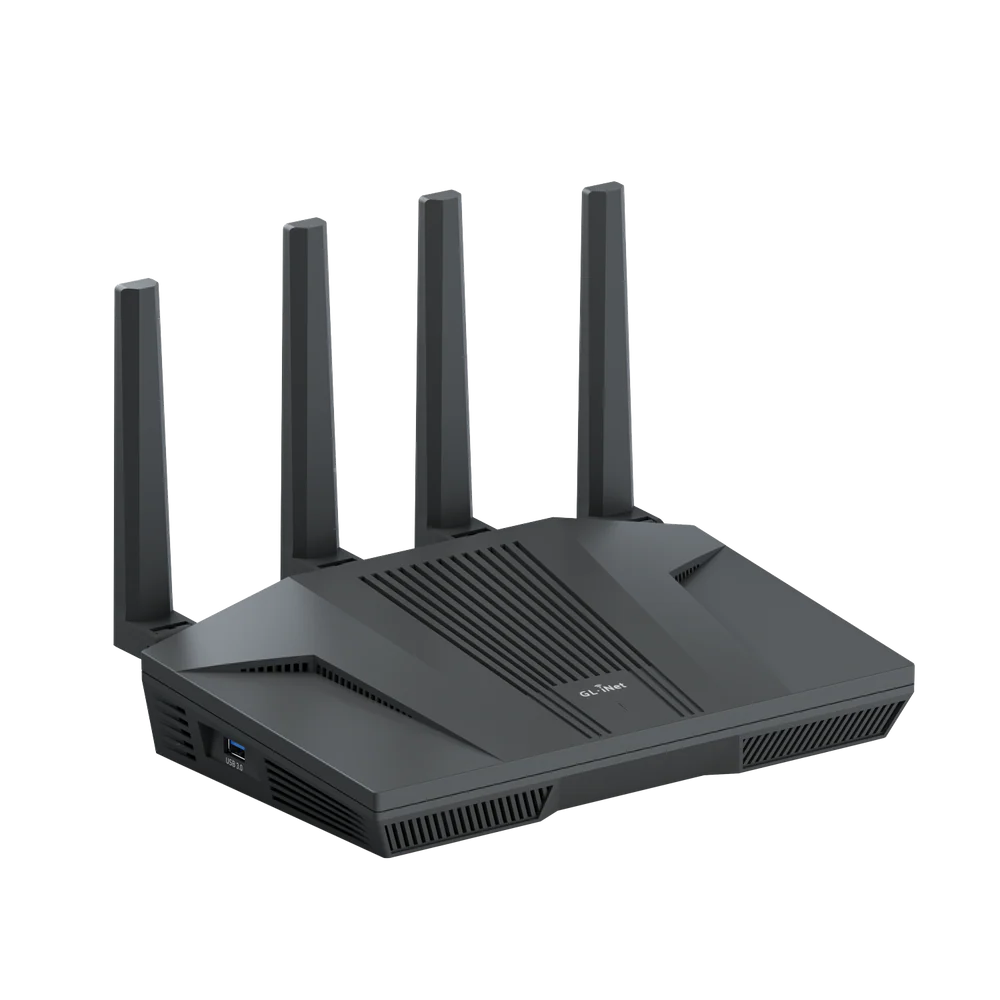
I went with the GL-iNet Flint 2 for several reasons:
- OpenWrt is supported as per the Table of Hardware
- Hearing positive reviews about it from various users
- Fairly inexpensive (I got it for $175AUD)
- Quality hardware
- Decent WiFi coverage
The only criticism I have with the device is that GL-iNet overlays a closed source proprietary web interface on top of OpenWrt. This didn't bother me because I was going to flash standard OpenWrt on it anyway. I didn't want or need the GL-iNet wrapper.
I didn't opt for the Flint 3 is because it's not officially supported in the OpenWrt table of hardware (as of July 2026).
I'm sure there are better options than the Flint 2 for this assignment, but at this price point, compatibility, feature set and build quality, I'm not complaining.
Software
OpenWrt is a free, open-source Linux operating system for routers that replaces the manufacturer's firmware. Instead of being limited to the features the vendor provides, it gives you full control over your networking hardware.
I flashed the router with OpenWrt using the Wiki for the Flint 2. It explains how to install and configure some settings to change post installation.
This process was fairly straight forward, essentially a system upgrade using a pre-downloaded file.
Configuration
I followed the OpenWrt guide for using the device as a Wireless Access Point. This ensured that my pfSense router would recognise the device on the network and broadcast wireless connections based on it. I set up wireless networks for 2.4ghz and 5ghz, for both LAN and GUEST.
Conclusion
After a little bit of tinkering (setting up a device, an interface and some wireless access points), I successfully decommissioned the R7000 in favour of the Flint 2. It was an all round fairly straight forward success. In terms of wifi signal strength, that has significantly improved across the entire home.
Finally, I've saved down the backup configuration file of the Flint 2 so I have a copy in case I need it to restore.
This is a device that gets used every day. I'd encourage you to look into your router and wifi access point to make sure they are fit for purpose and up to date. I'm thankful that free and open source software like this exists. It definitely gives you more features and freedom to do what you want with your hardware.